A touch joystick for your PTZ camera in Home Assistant
Pan/tilt cameras such as Tapo or Reolink expose move buttons in Home Assistant, but pressing four separate buttons is clumsy. The camera control card from the showroom shows the live picture and turns it into the joystick: press the top, bottom, left or right part of the picture to move the camera, keep pressing to keep moving.
Or in HACS: ⋮ → Custom repositories → https://github.com/davidrot/ha-html-action-card, type Dashboard.
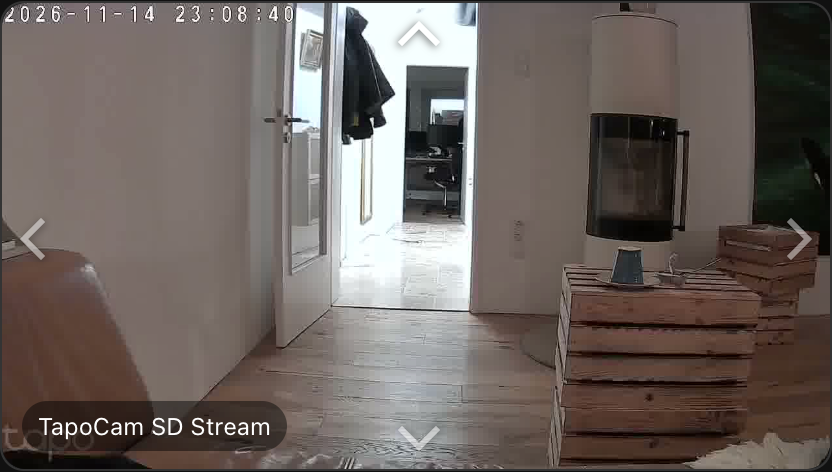
Use it
- Install HTML Action Card and add a new card of type HTML Action Card.
- Paste card.html into the card editor.
- Pick your camera and its four move buttons in the form. The rating is green: no script, only markup.
Or build classic arrows
data-event="press" with data-repeat keeps the camera moving while you hold the button:
<div class="pad">
  <button data-event="press" data-repeat="300" data-action="button.press"
          data-entity="button.camera_move_up">▲</button>
  <button data-event="press" data-repeat="300" data-action="button.press"
          data-entity="button.camera_move_left">◀</button>
  <button data-event="press" data-repeat="300" data-action="button.press"
          data-entity="button.camera_move_right">▶</button>
  <button data-event="press" data-repeat="300" data-action="button.press"
          data-entity="button.camera_move_down">▼</button>
</div>